


The TCP/IP control panel should be very simple, leaving all decisions up to the PPP Server for optimum performance.
216.194.192.70
216.194.225.70
216.194.192.8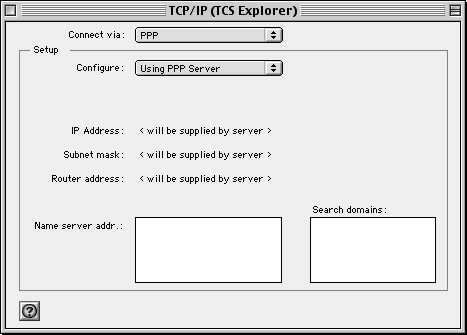
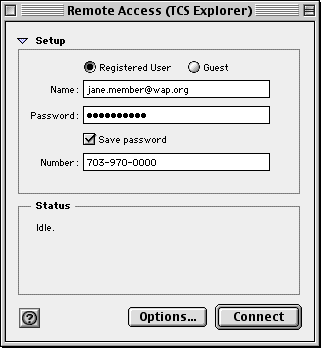
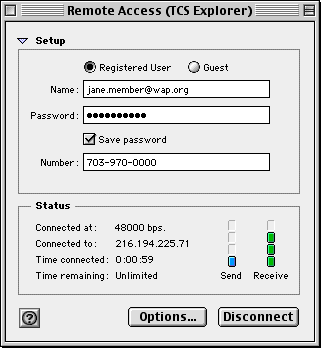
The Remote Access control panel (known as "PPP" in earlier versions) is where we focus most of our attention for the 56K upgrade, as follows.
First, edit the Name field. Make certain it is entirely lowercase. Then add "@wap.org", as if you were entering your wap.org e-mail address. In effect, you are.
Finally, select a nearby phone number from the list. The old 33.6K access number will soon be disconnected.
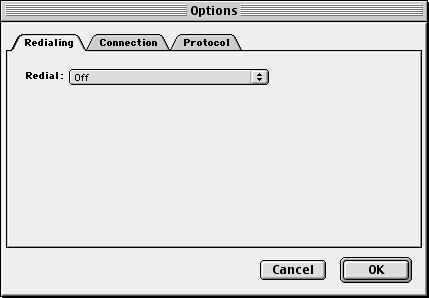
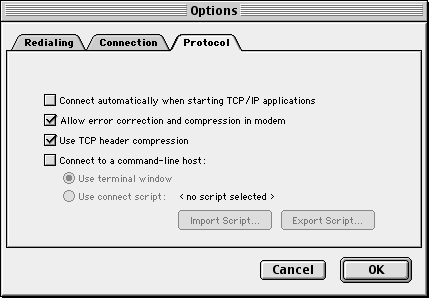
Let's review the various additional PPP options, just for fun. Configure redialing however you'd prefer.
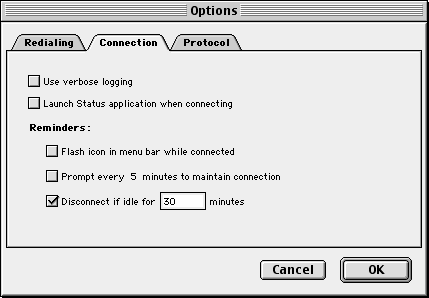
Adjust your connection options to taste, as well. The server will enforce a 30-minute idle timeout if you don't otherwise disconnect first.
For protocol, there is no need for a terminal window or connection script.
Now, give it a shot! Consider experimenting with several phone numbers before settling on one that serves you well.
Help is available through the traditional means. Please start with the TCS support forums, if you can get online somehow in the first place to ask a question.
Good luck! And happy acceleration...